 ChordPal
Live Concert and QR code Pro
Run the show from one phone while everyone follows along on theirs.
1Start the concert
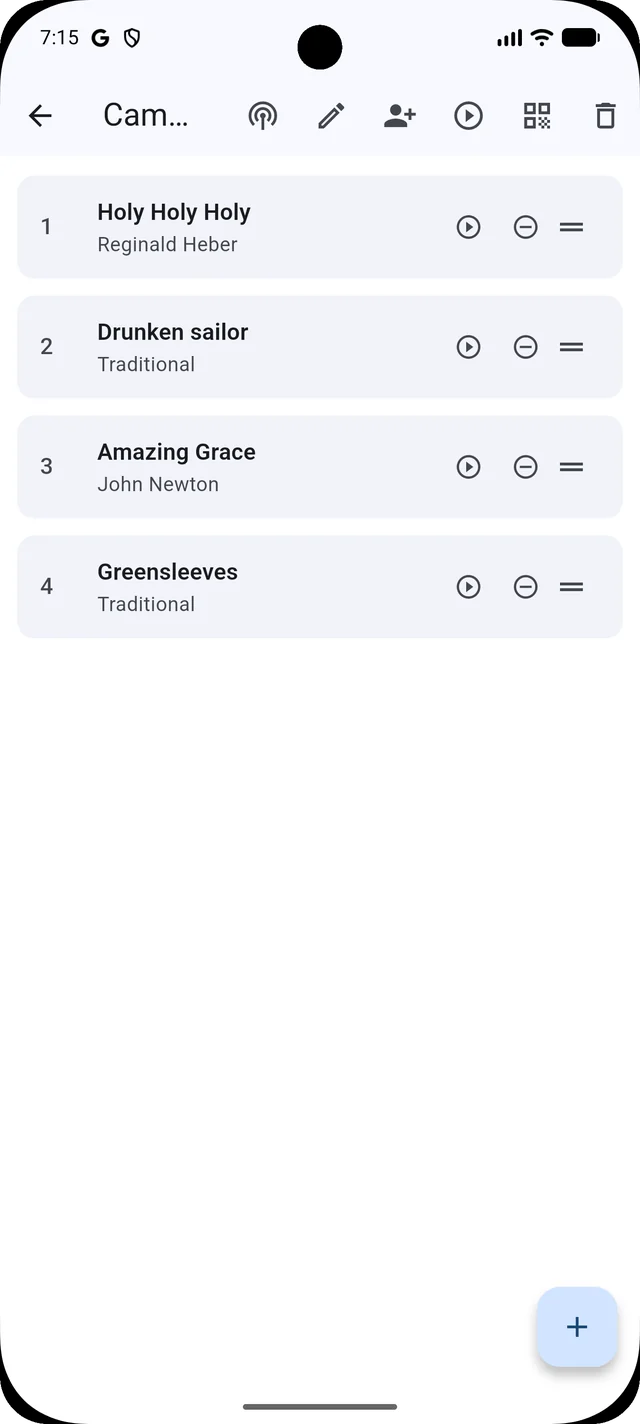
Open a playlist and tap the play button ▶ in the top bar. To start from a different song, tap the ▶ on that song’s row instead.
A short “Get ready” countdown runs, then the Controller opens. This is your remote control: you choose the song, and your audience’s phones follow.
 AB
2The Controller
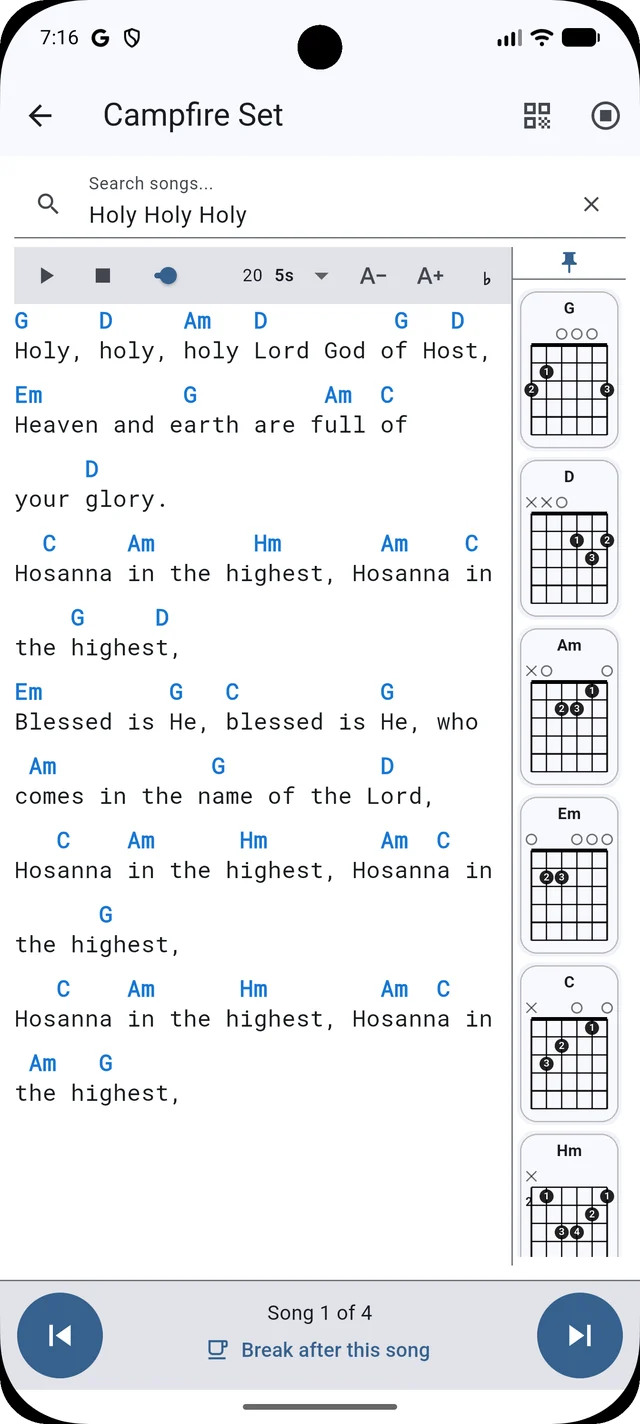
You see the current song with its chords, exactly as you would play it.
- Pick the song with the search box (type a title), or step through the set list with Previous and Next.
- Auto-scroll, text size and chord settings work here just like in the Song Library.
- The QR button shows the audience code (next step). The stop button ends the concert.
 ABCDEF
3Let the audience join with the QR code
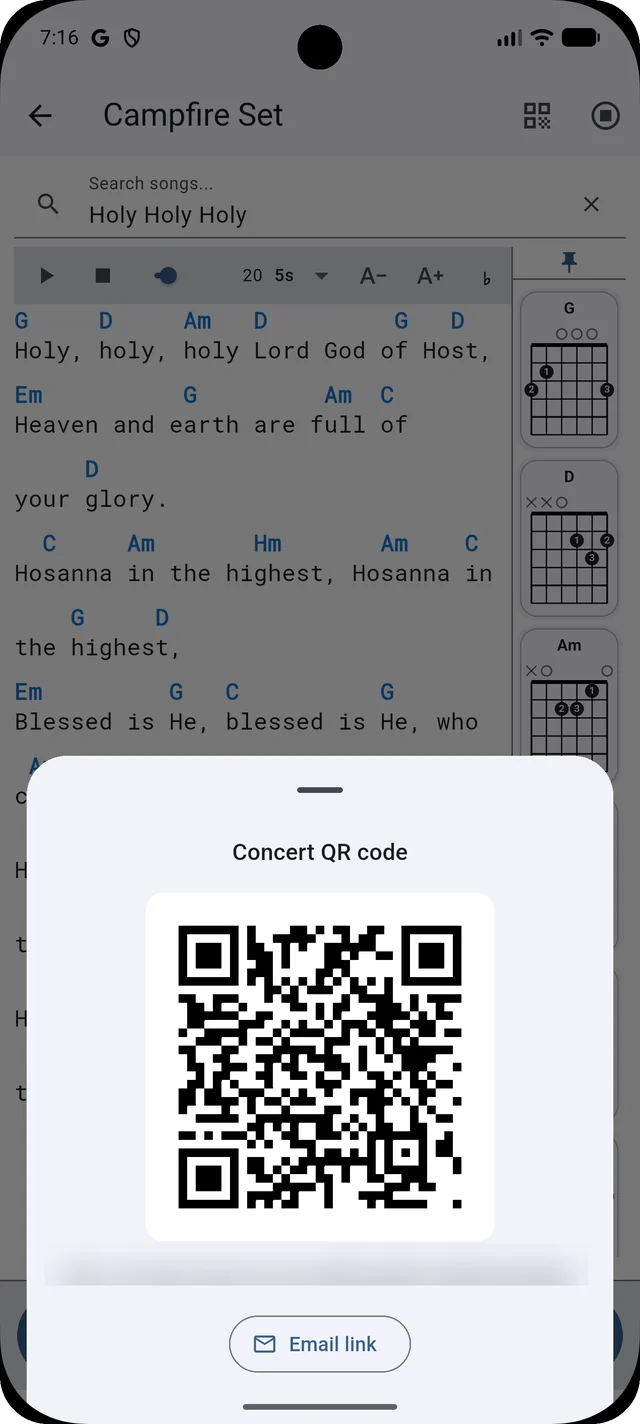
Tap the QR button. Your audience scans the code with their phone camera – or opens the link – and the lyrics and chords appear on their screen. No sign-in and no app download.
Tap Email link to send the link to several people at once (separate the addresses with commas).
You can also show the code before the concert: in the playlist’s top bar, the QR and broadcast buttons open the same code. Until you go live, your audience sees a Stand by! screen.
 AB
4Take a break
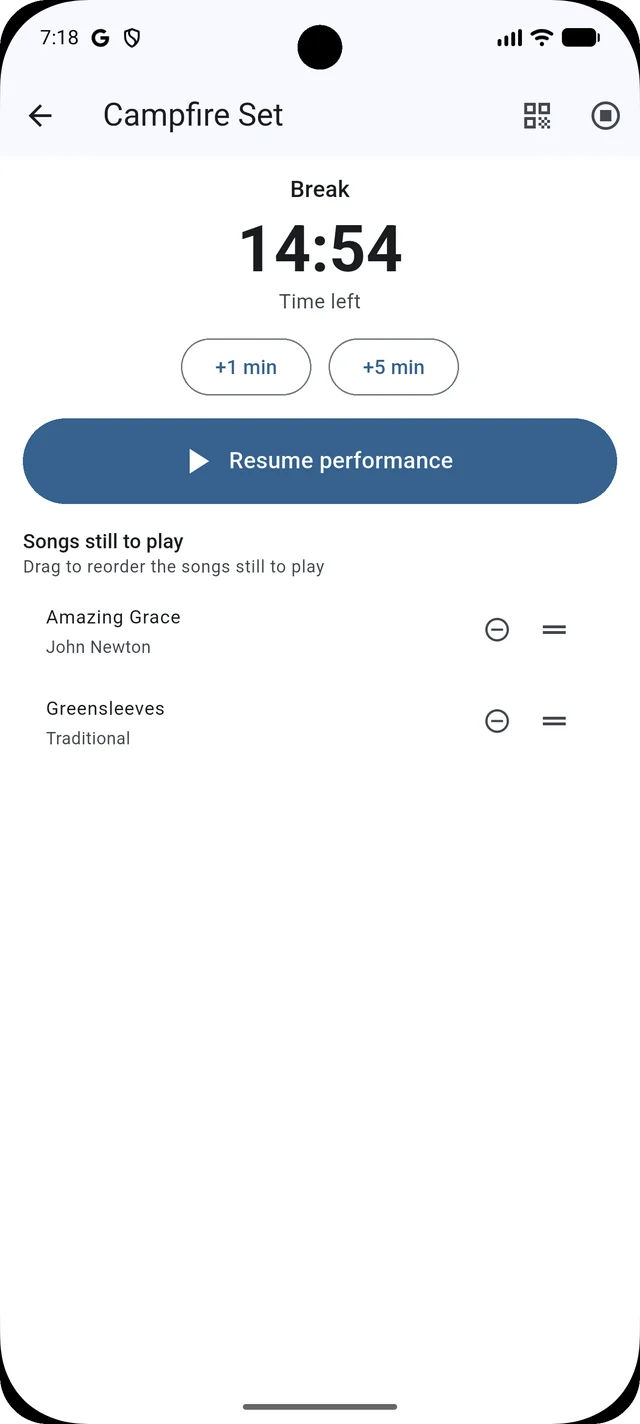
Breaks you planned in the playlist start by themselves when you move on from that song. To add a break at any point, tap Break after this song at the bottom of the Controller.
During a break the Controller shows a countdown. Tap +1 min or +5 min to extend it, drag the songs still to play into a new order, or remove some. Tap Resume performance when you are ready.
Your audience sees an Intermission screen with the time you are back. In the last few minutes it asks everyone to head back to their seats.
 ABCD
5End the concert
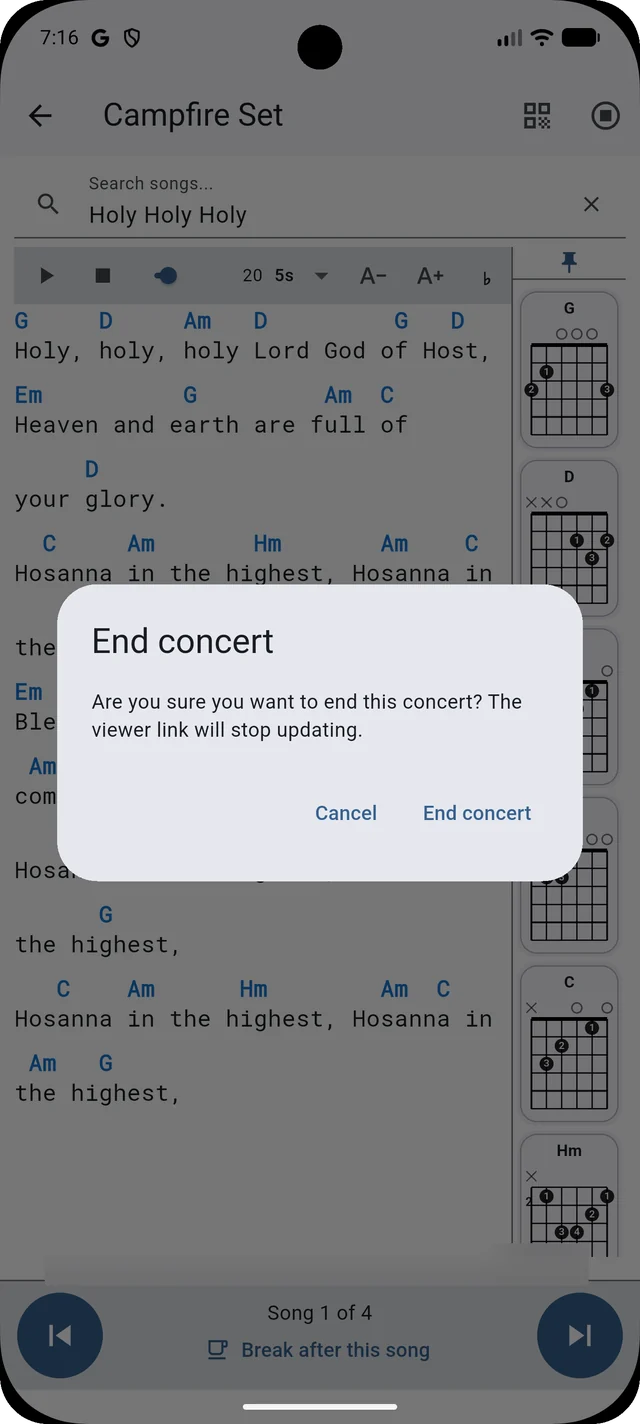
Tap the stop button in the top right and confirm End concert. The audience link stops updating, and your audience sees Thank you for being here!
 A
6What your audience sees
- Stand by! – before you go live.
- Get ready – a countdown just before the first song.
- The title, lyrics and chords of the song you are playing, changing as you change songs.
- Intermission – during a break.
- Thank you for being here! – when the concert has ended.