 ChordPal
Share and publish Pro
Let your band, friends or the whole community play from your songs.
1Share a song with a personPro
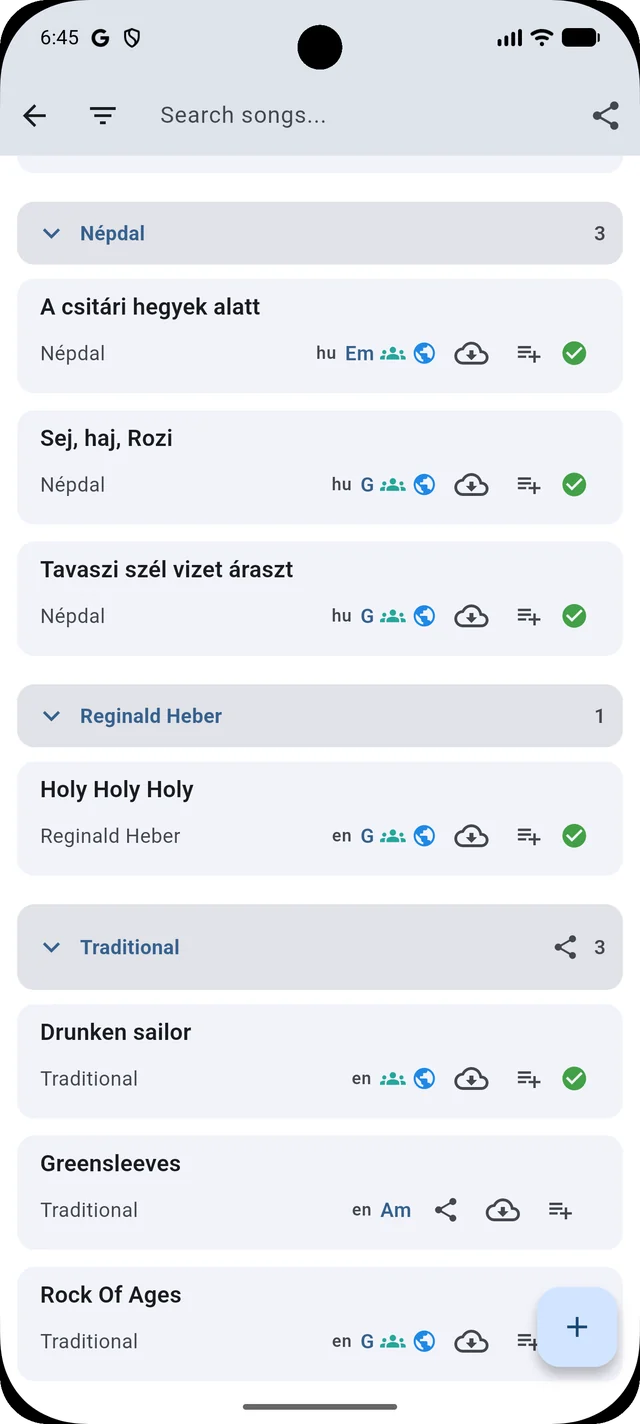
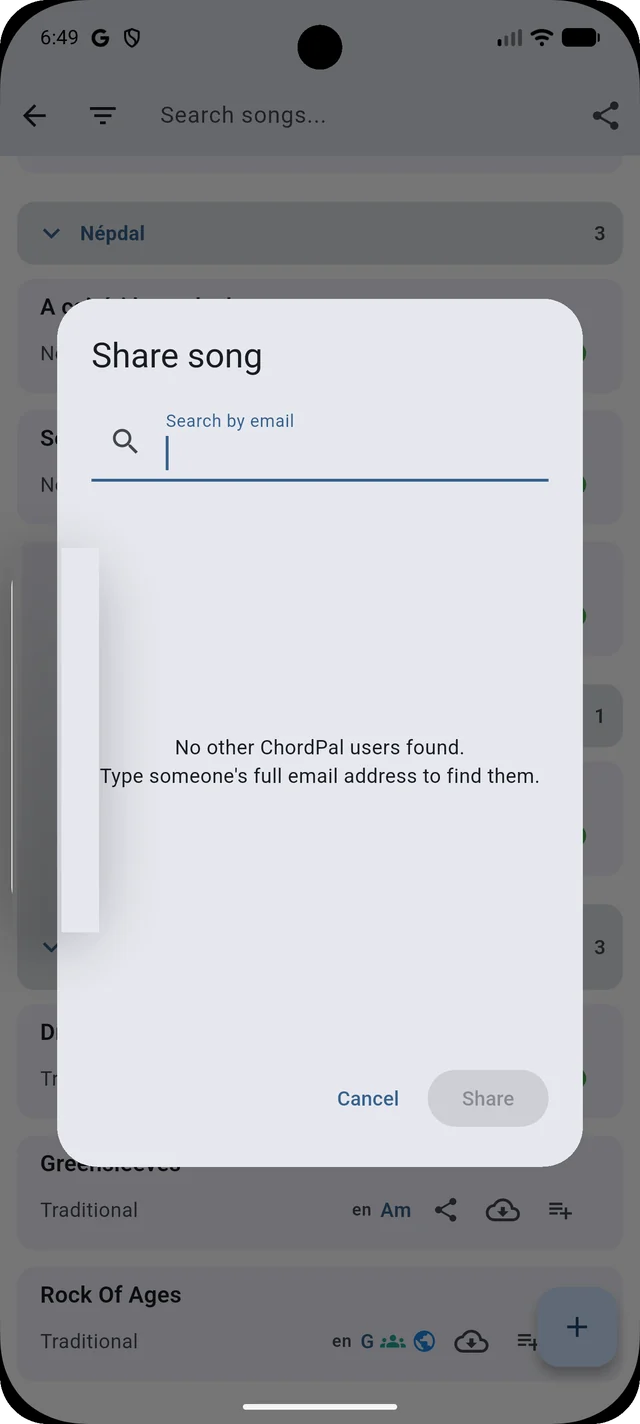
In the Song Library, tap the share icon on the song’s row. In the Share song box, type the person’s full email address and tap Share. They need a ChordPal account.
Only the owner of a song can share it. Songs shared with you can be opened, but not changed or re-shared – make your own copy if you want to edit one.
 1
 AB
2Share with a groupPro
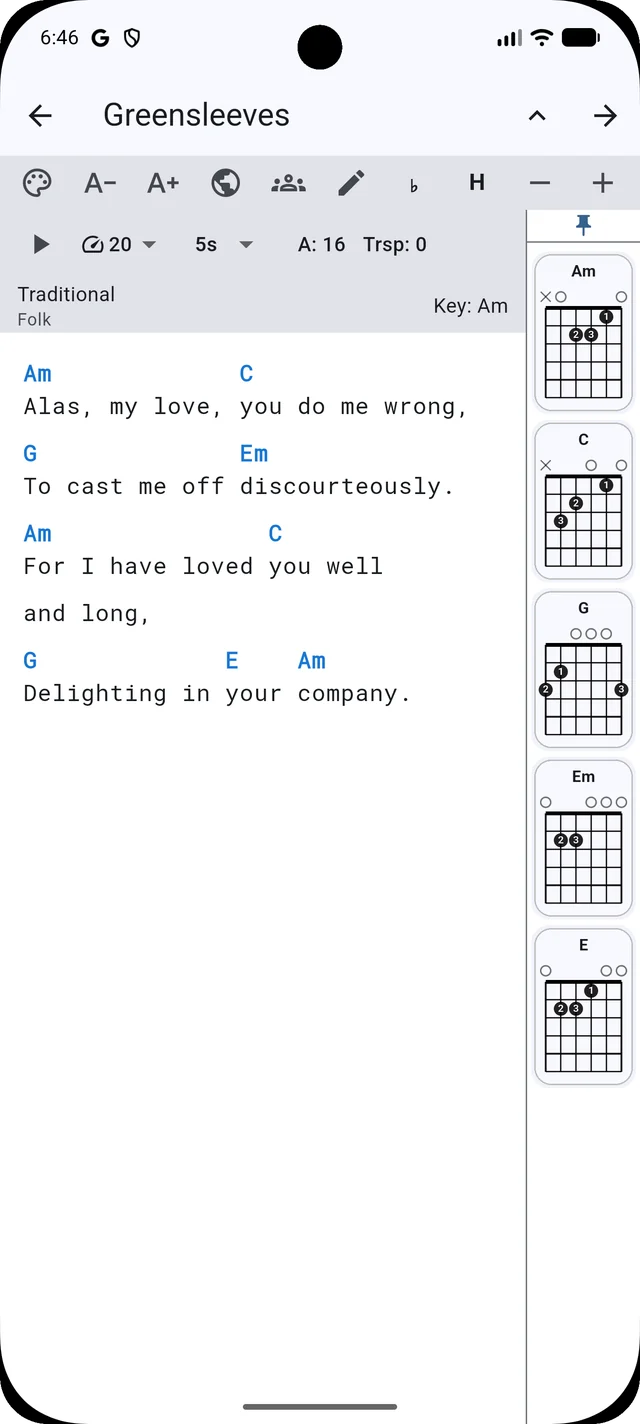
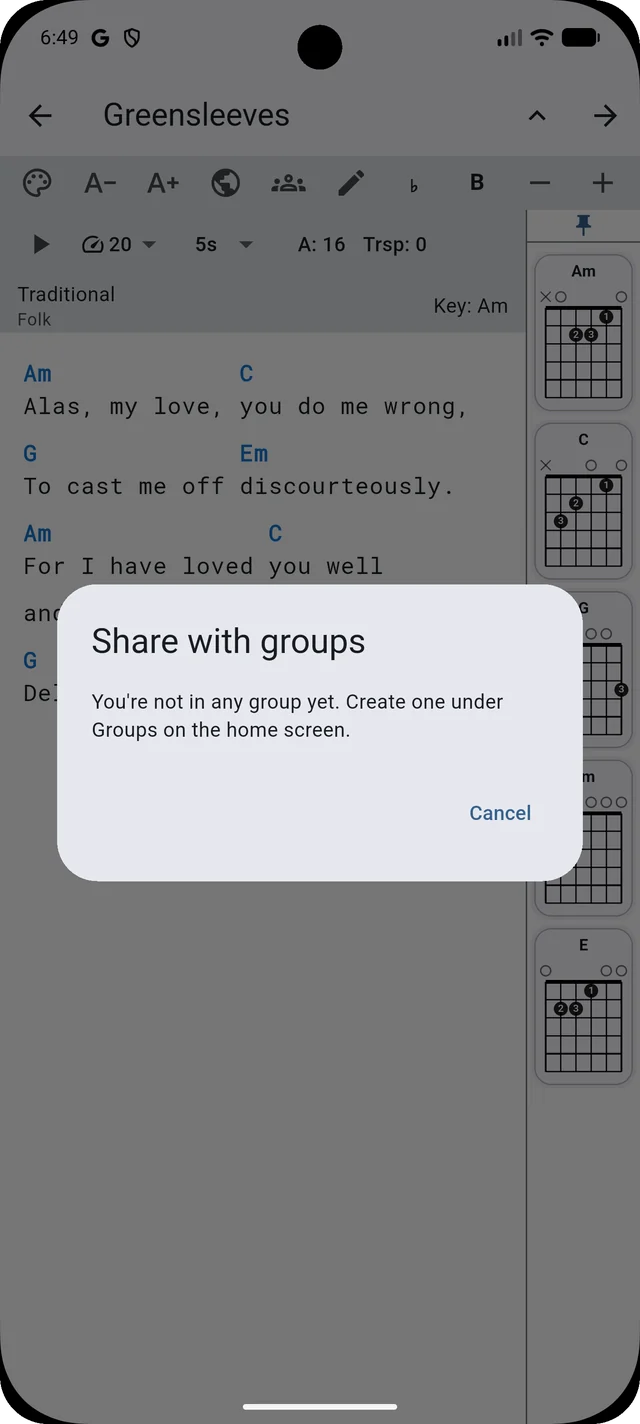
Open the song, show the toolbar and tap the group button. Choose which of your groups should get the song. See the Groups tutorial.
No groups yet? Create one from Home → Groups.
 A
 A
3Publish to the public libraryPro
Open the song and tap the globe button. Public songs can be seen by every ChordPal user.
Read the message, tick the box to confirm that you wrote the song or have permission to publish it, then tap Publish.
A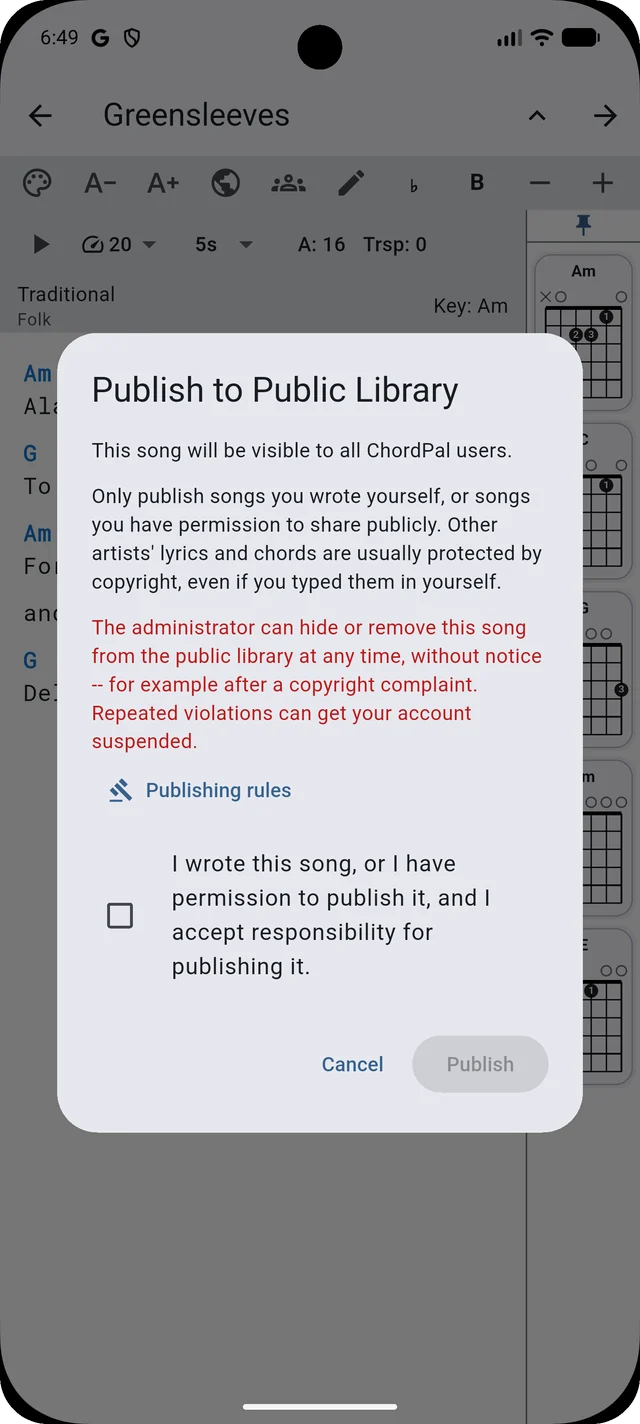 AB
4Share a playlistPro
Playlists are shared the same way: open the playlist and tap the share icon. See the Playlists tutorial.