 ChordPal
Show or hide the chord panel Free
Want more room for the lyrics? Hide the chord panel, and bring it back with one tap.
1The chord panel
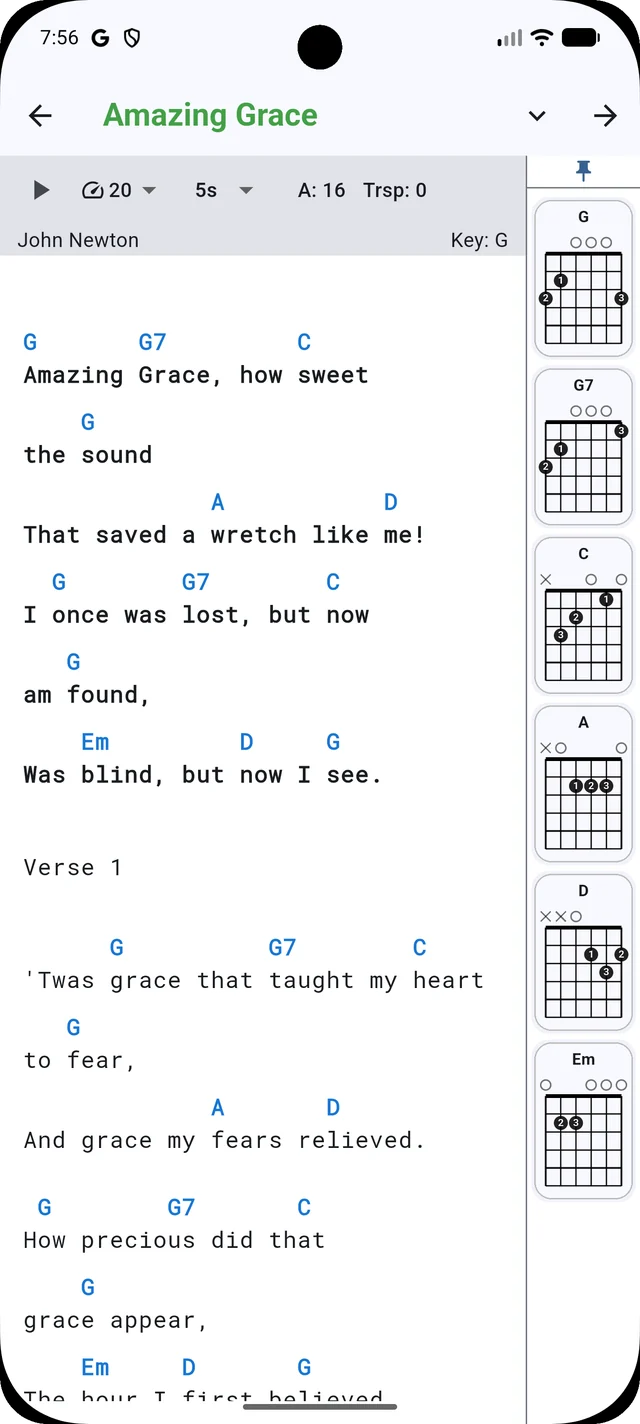
When you open a song, the chord panel on the right shows a diagram for every chord in the song, so you always see the finger positions.
At the top of the panel is a small pin icon. When the pin is filled, the panel is pinned and always stays open.
 AB
2Hide the panel
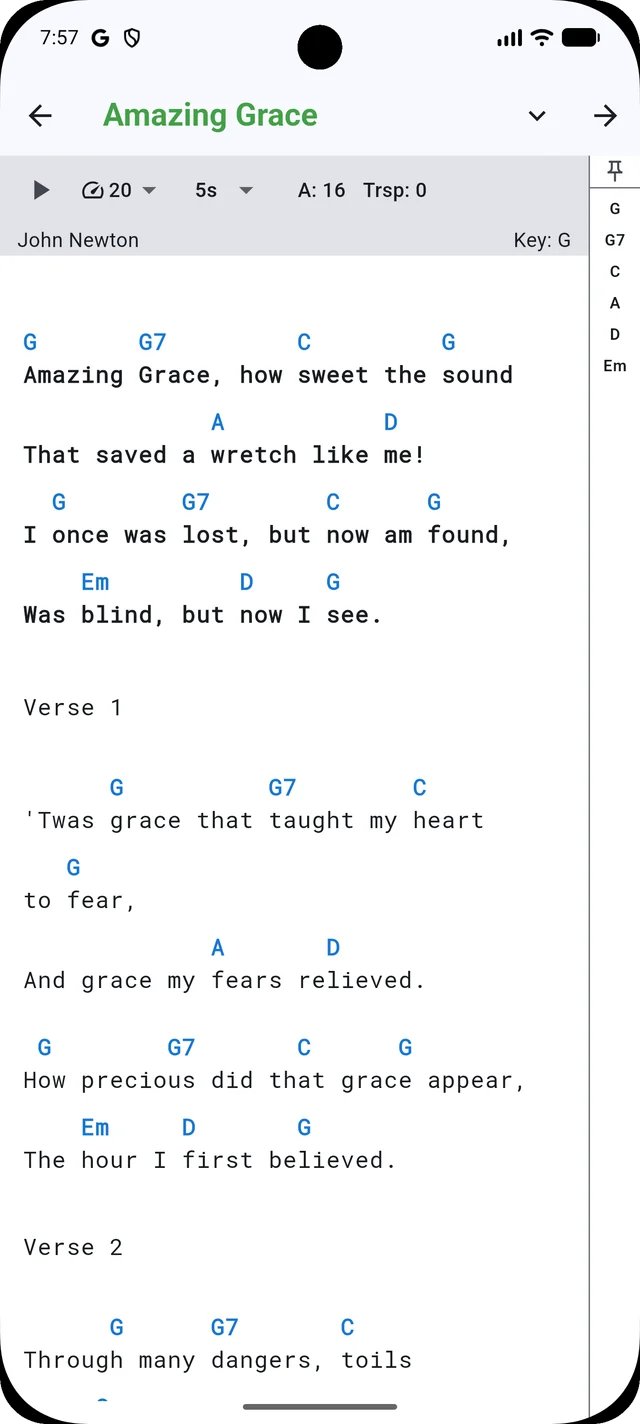
Need more room for the lyrics? Tap the pin to unpin the panel. It shrinks into a thin strip that only lists the names of the chords.
 AB
3Peek at the diagrams
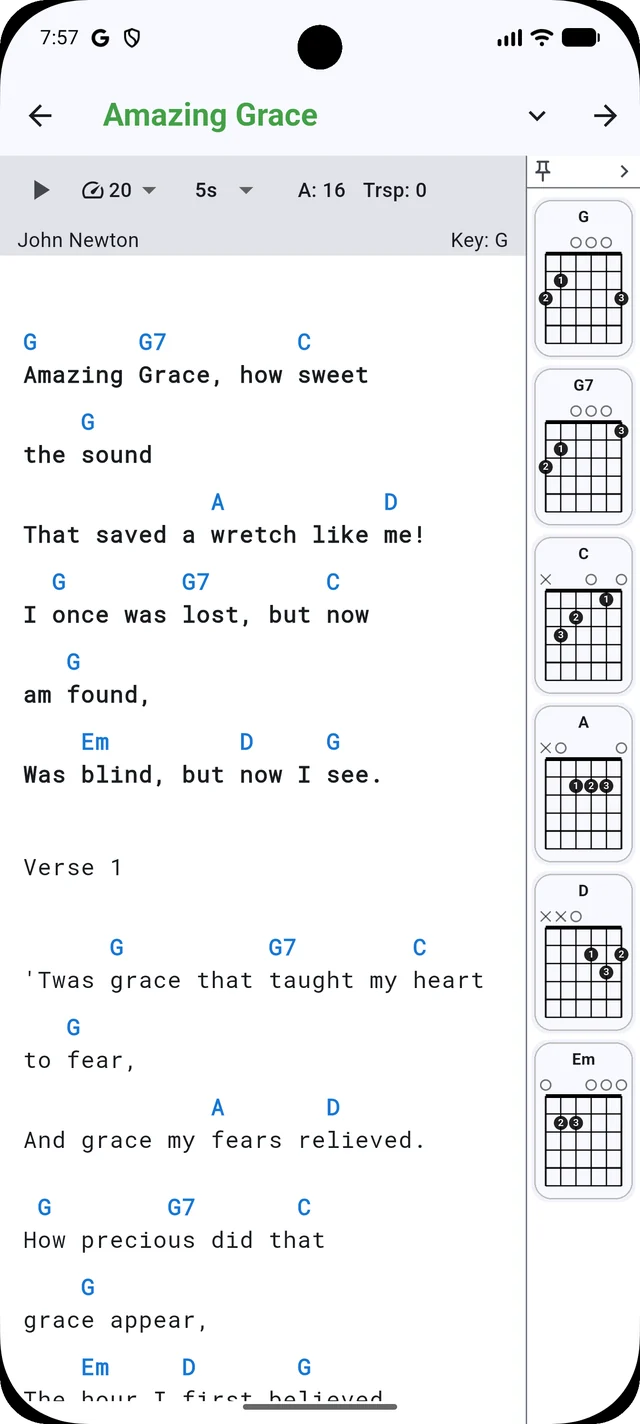
With the panel collapsed, tap the thin strip any time. The diagrams slide out so you can check a fingering. Tap the arrow at the top of the panel to tuck it away again, or tap the pin to keep it open for good.
 ABC
4See a chord in detail
Tap any chord diagram to open the Chord Library card for that chord, with the finger positions, the tuning and the alternative names.
1