 ChordPal
Verified songs (the green check) Free
The green check tells you the chords of a song have been checked.
How to use this page: keep it open in your browser, then swipe to ChordPal and follow the steps. The 1 A badges on the pictures match the numbers in the text.
1What the green check means
A green check next to a song means the song is verified: someone has checked the chords and corrected them. In the song itself, a verified song has a green title.
Songs that are not verified yet have the normal black title, and no green check.
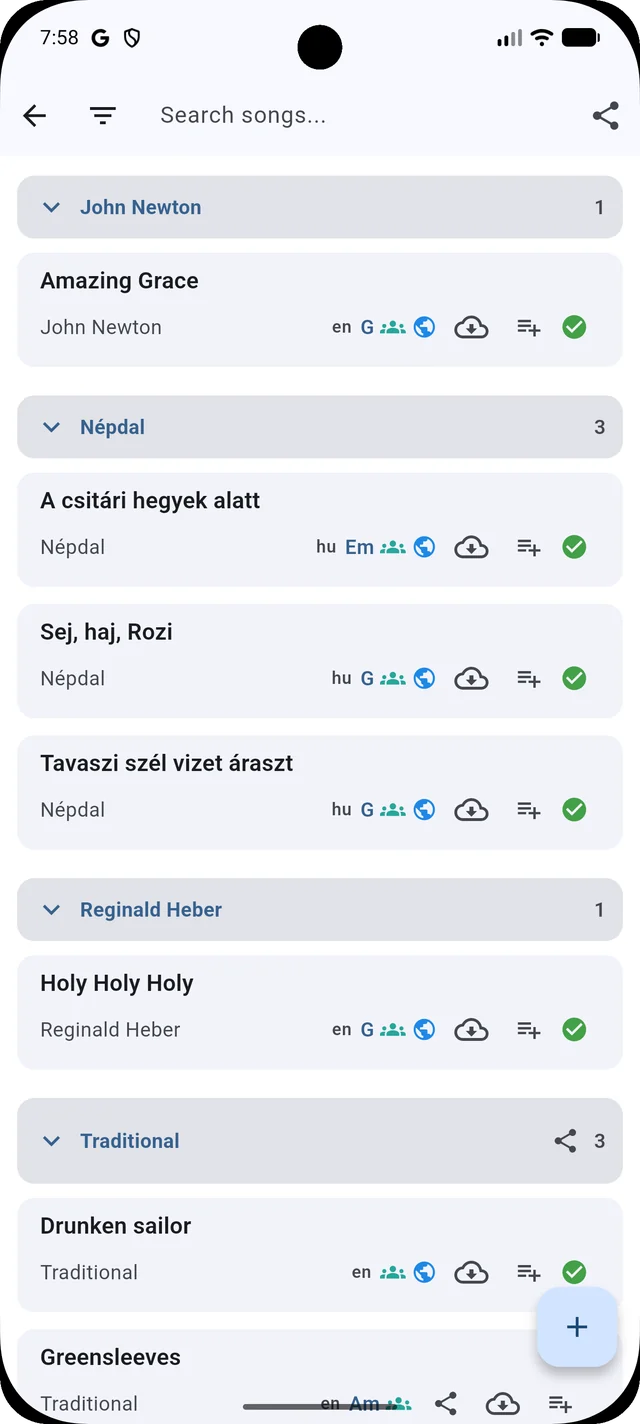 A
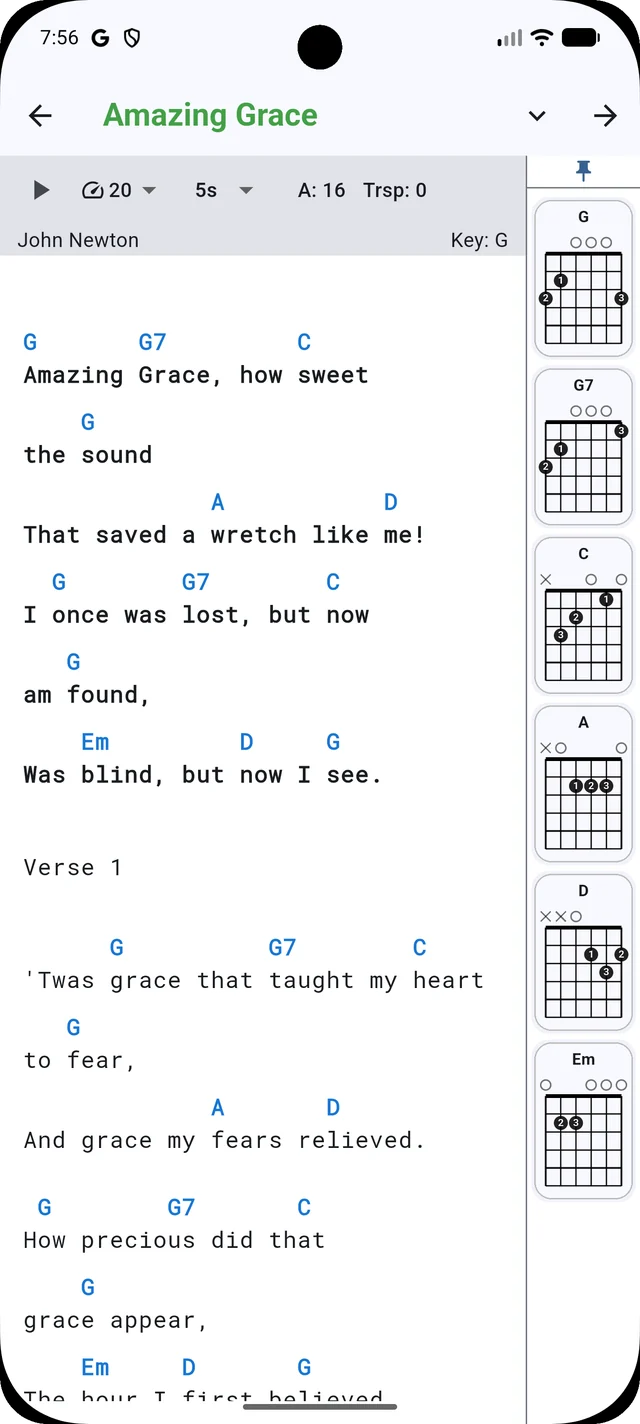 A
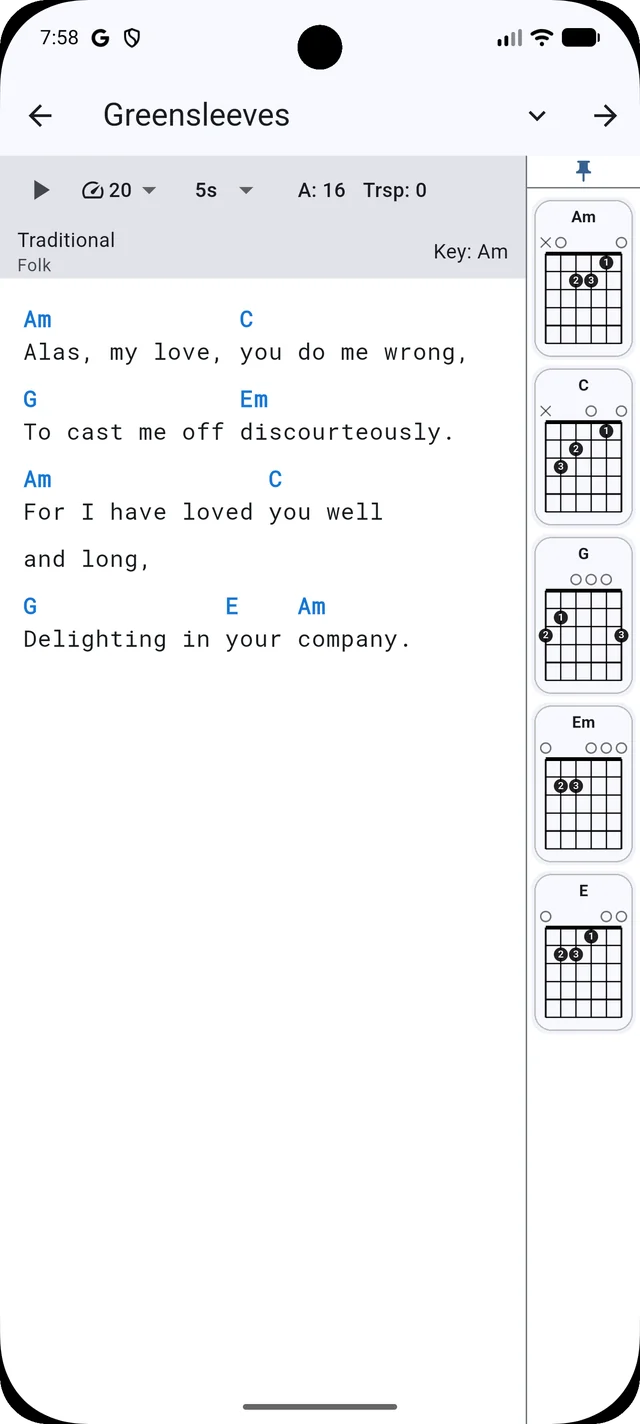 A
2Mark your own song as verified
If you own a song, you decide when it is checked. Open the song, show the toolbar, tap the pencil icon, and scroll to the bottom. Tick Verified and tap Save Changes.
The box says: Mark this after the chords have been checked and corrected.
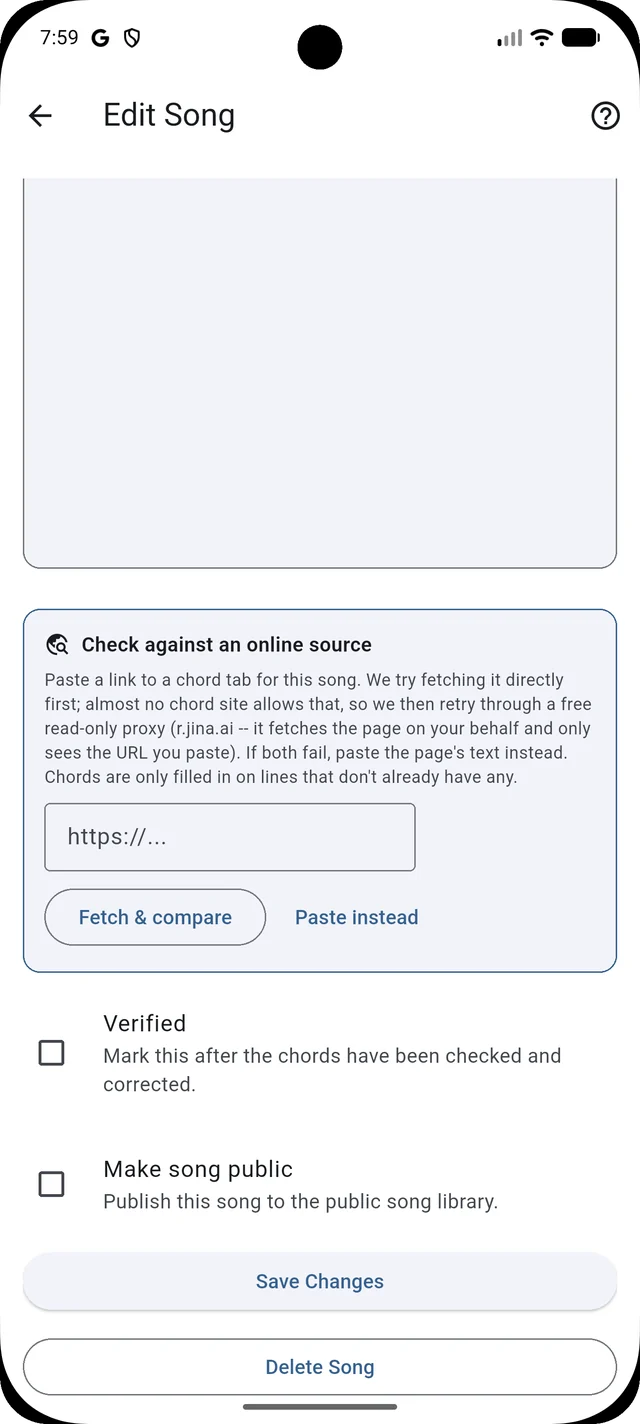 A
3Show only verified songs
Open Sort and filter in the Song Library (the filter icon next to the search box) and use the Verified switches:
- Show only verified – hide everything that is not checked yet.
- Show only not verified – a to-do list of songs that still need a look.
- Verified first – all songs, with the verified ones on top.
1Tip: For bands: tick Verified once your band has played the song and the chords are right. Then the verified filter is your “ready to play” list.