 ChordPal
Auto-scroll Free
Keep both hands on your instrument while the lyrics scroll by.
How to use this page: keep it open in your browser, then swipe to ChordPal and follow the steps. The 1 A badges on the pictures match the numbers in the text.
1Find the play controls
Open a song. Right under the title you will see a play button ▶ and a few numbers.
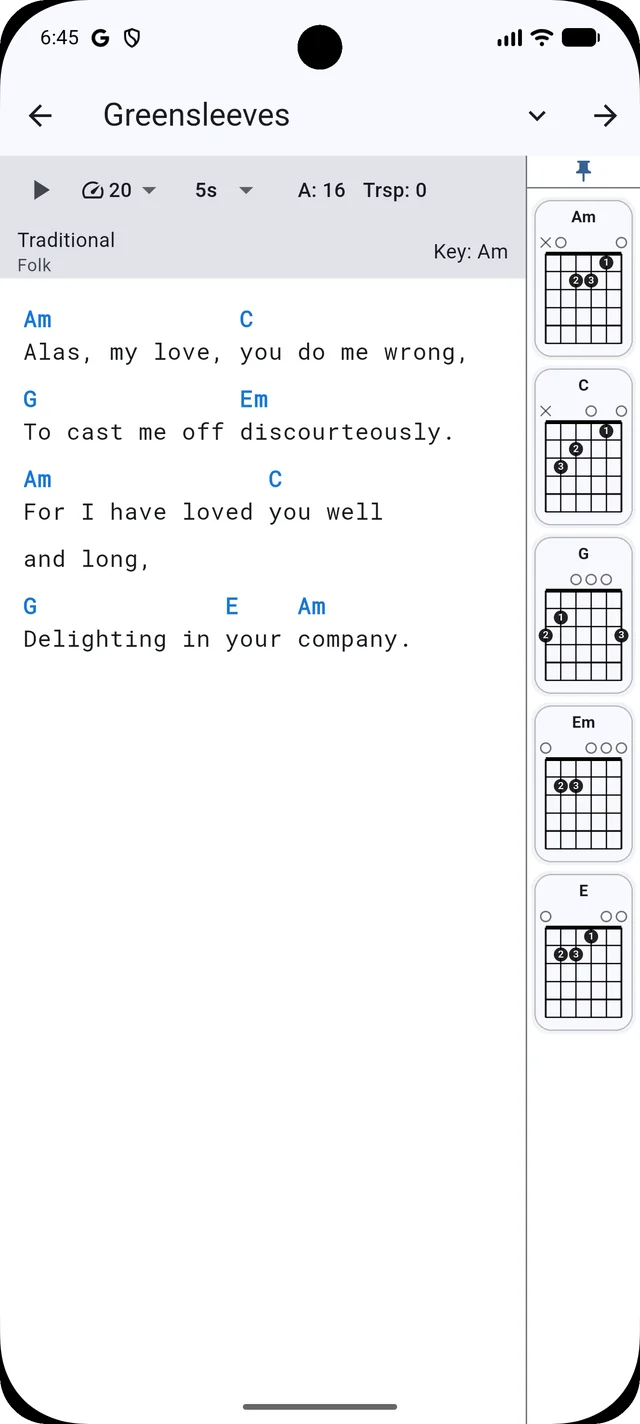 1
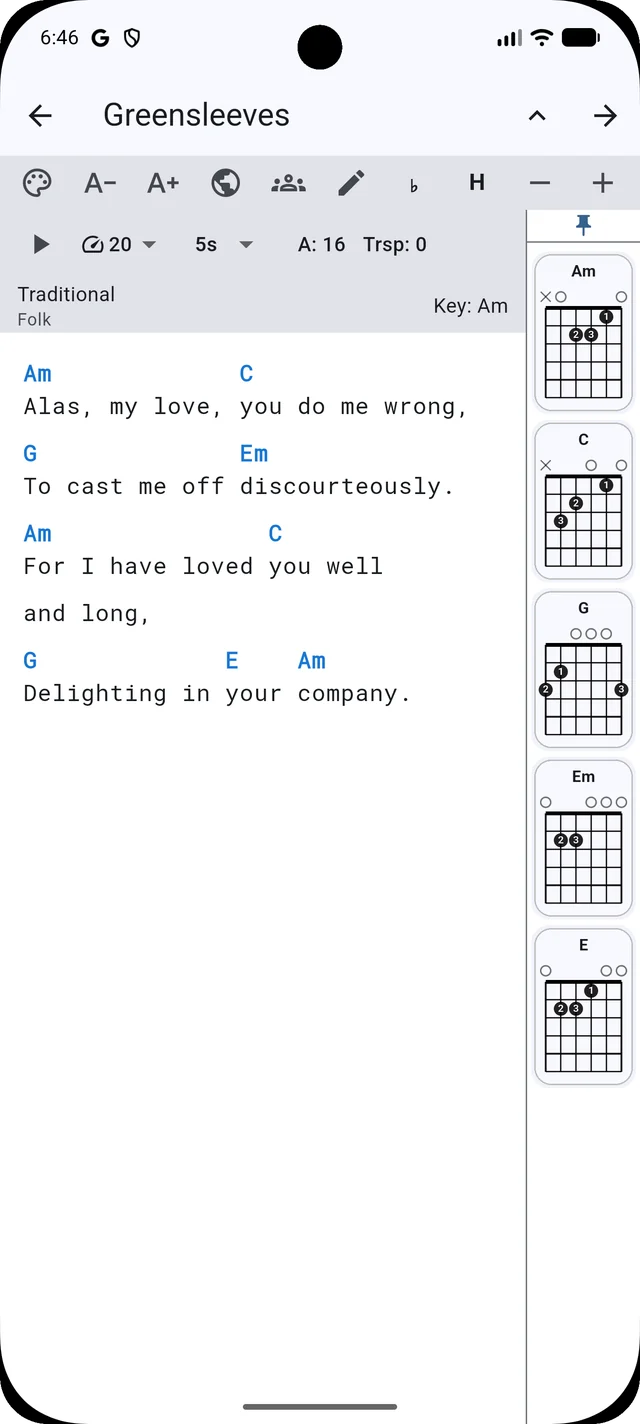
2Set speed and start delay
Before you start, set how the song moves:
- Speed – the number next to the gauge icon. Higher is faster.
- Delay – the seconds ChordPal waits before it starts scrolling, so you have time to get ready.
 AB
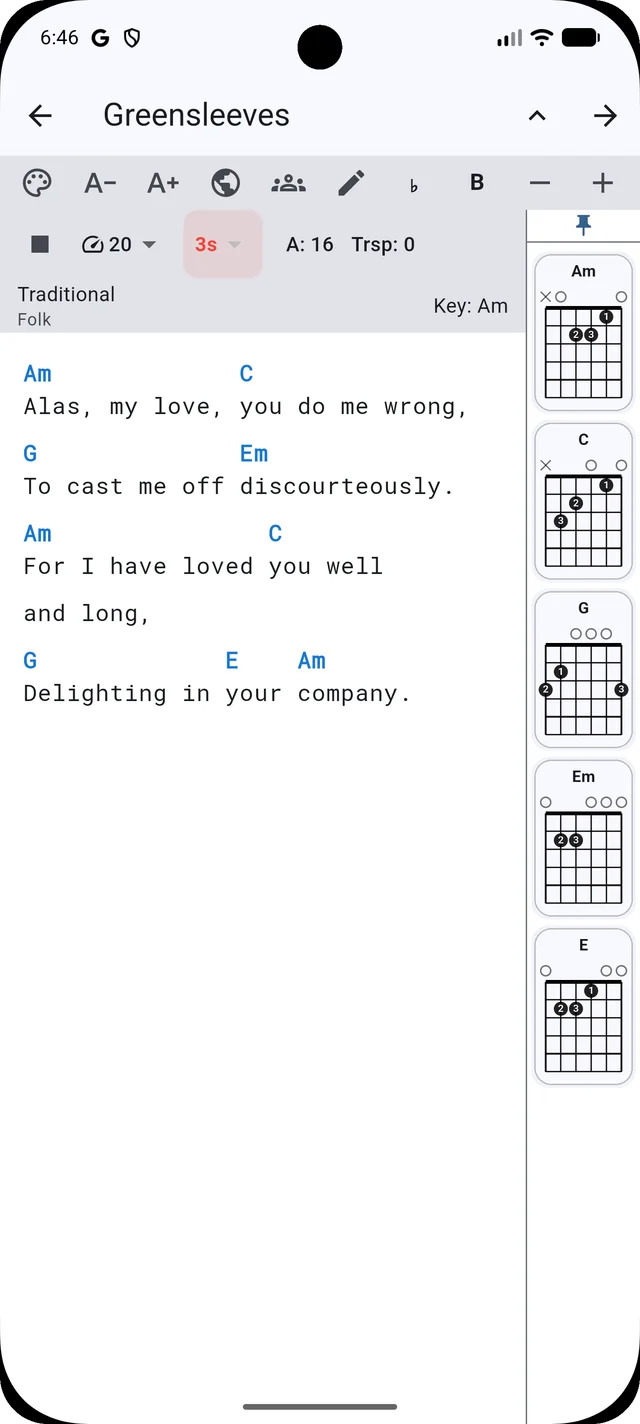
3Tap play
Tap ▶. The button turns into a stop square and the delay counts down (here: 3s). When it reaches zero, the song scrolls by itself.
Tap the stop square any time to stop and jump back to the top.
 AB
4Make the text bigger or smaller
Use A− and A+ in the toolbar to change the text size. The A: number shows the current size.
ABTip: Scroll with your finger at any time to move through the song yourself. Auto-scroll is handy when both hands are on the instrument.