 ChordPal
Transpose a song Free
Song too high or too low for your voice? Change the key in one tap.
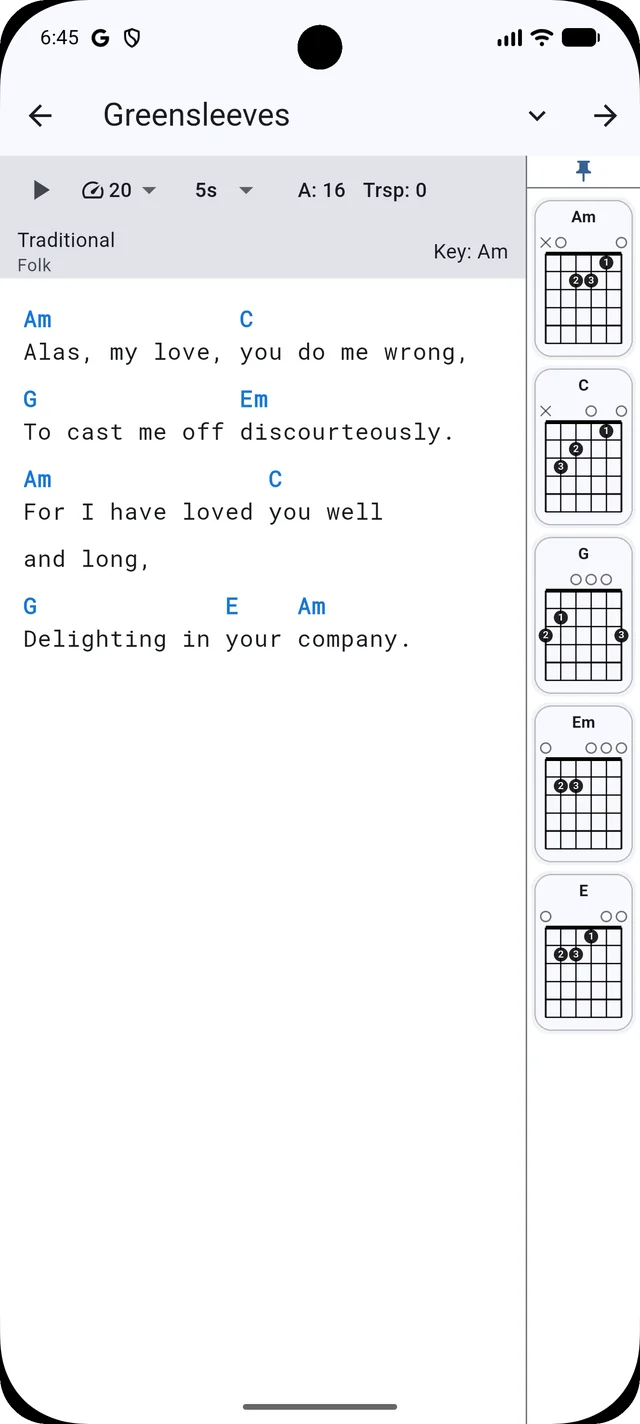
1Open a song and show the toolbar
Tap a song to open it. Then tap the little arrow at the top right to show the toolbar.
 1
2Tap − or + to transpose
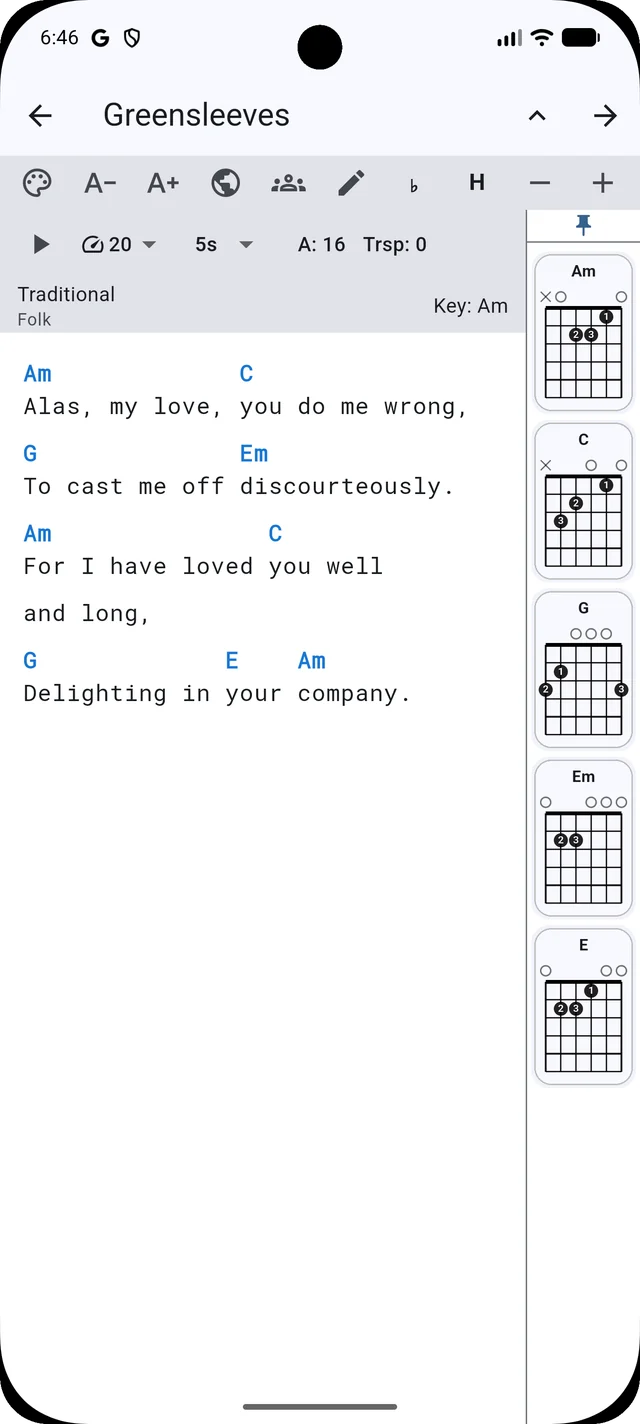
Use the − and + buttons at the right end of the toolbar. Each tap moves every chord one semitone (one half-step) down or up.
The counter Trsp shows how far you have moved – Trsp: 0 means the original key.
 AB
3See the new chords
Here we tapped + twice. The chords Am C G Em E became Bm D A F♯m F♯ and the chord diagrams changed with them.
A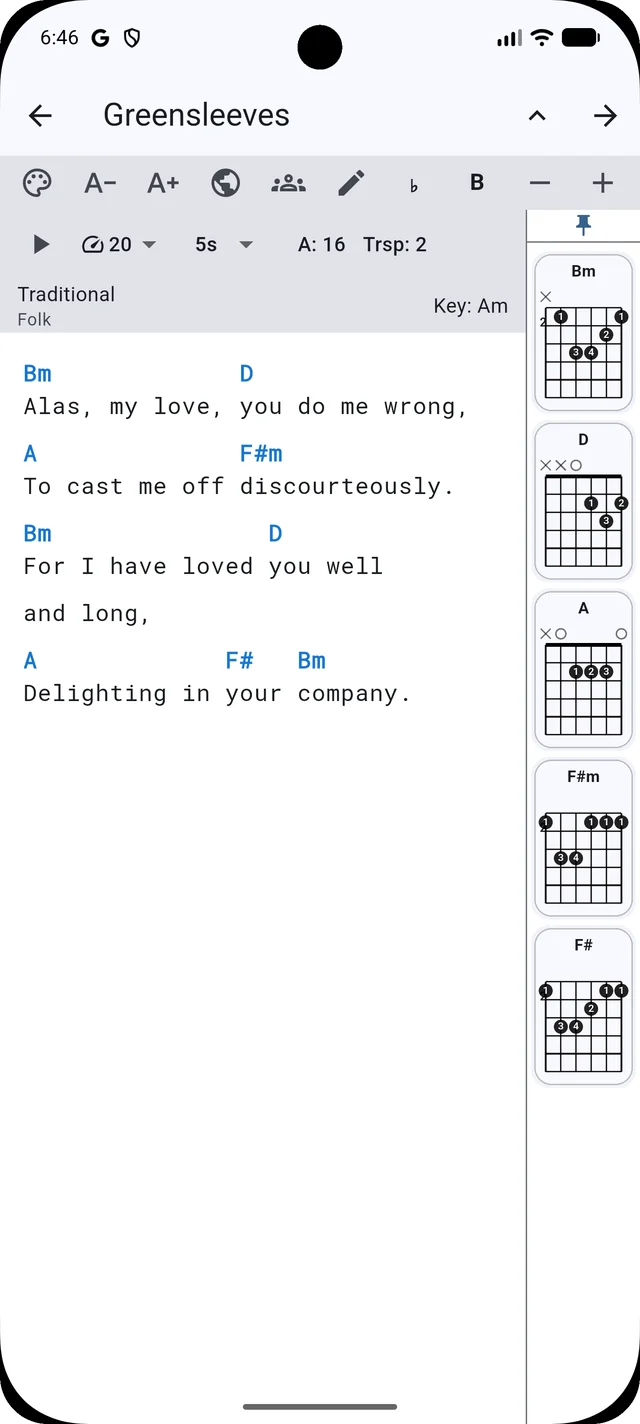 AB
4Sharps or flats?
A transposed song can show F♯m or G♭m – same chord, different name. Tap the ♯/♭ button in the toolbar to switch between sharps and flats, whichever you like to read.
A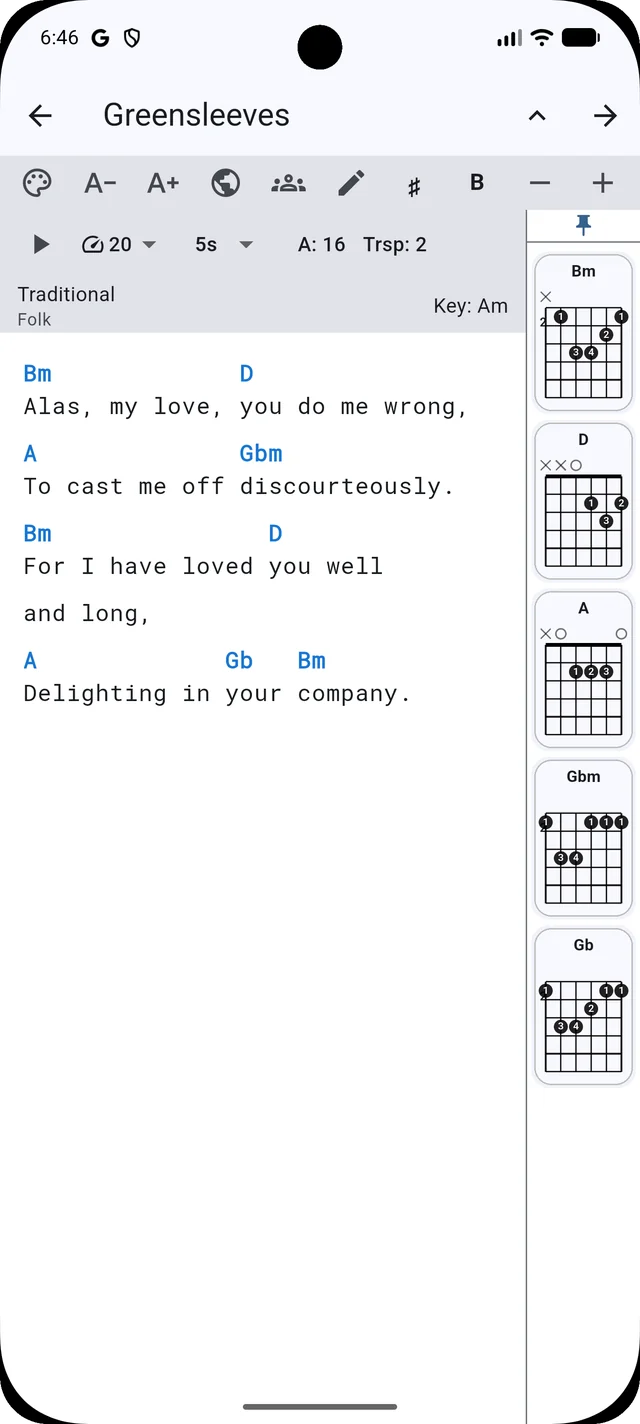 AB
5B or H?
In some countries the note we call B is written H. Tap the B/H button to choose the style you are used to – all chords change at once.
AA