 ChordPal
Change the language Free
ChordPal speaks five languages – pick yours in two taps.
How to use this page: keep it open in your browser, then swipe to ChordPal and follow the steps. The 1 A badges on the pictures match the numbers in the text.
1Open the language menu
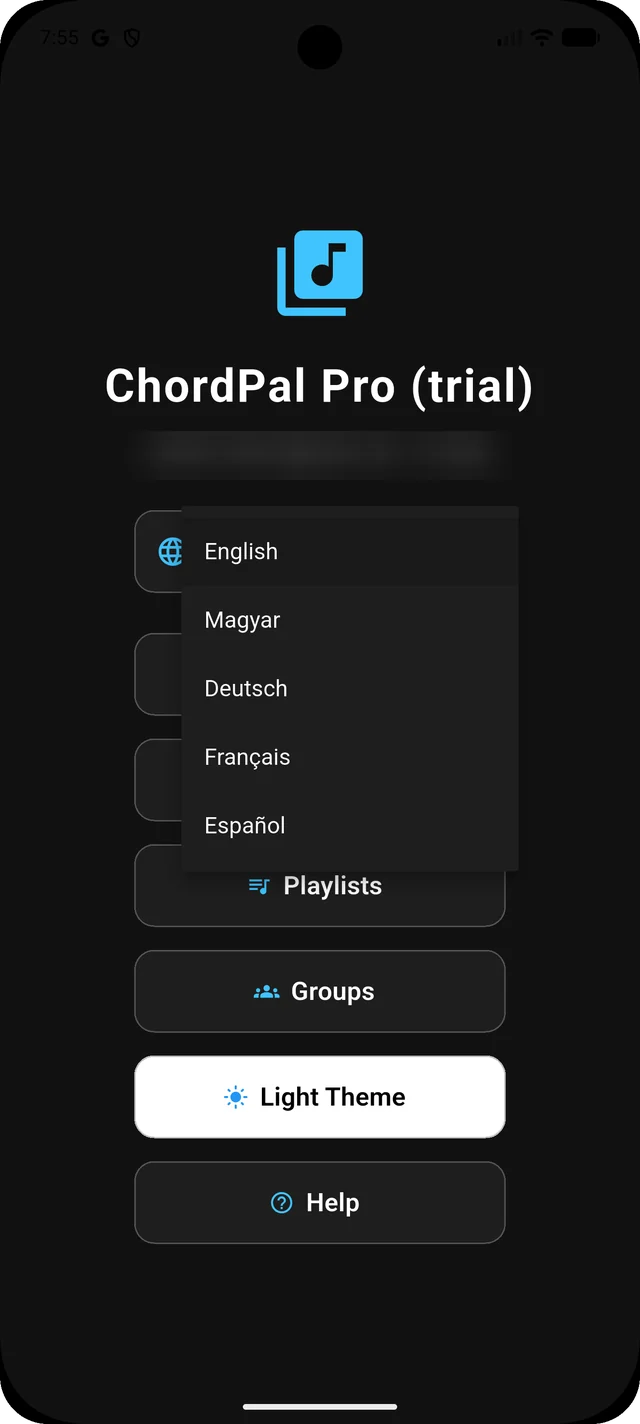
On the Home screen, tap the globe button at the top of the buttons. A list opens with the languages ChordPal speaks:
- English
- Magyar (Hungarian)
- Deutsch (German)
- Français (French)
- Español (Spanish)
 A
2Pick your language
Tap a language. All menus, buttons and messages change straight away – you do not have to restart the app.
Tip: The language only changes the app. Your songs are never translated – the lyrics stay exactly as you wrote them. A song’s own language (en, hu, …) is set in the song details.