 ChordPal
 Pro Pro
See what is free, what is Pro, and what happens if your Pro runs out.
1What is free and what is Pro?
Your songs and the chord library are free to use, always. ChordPal Pro adds the tools for bands and performers. Everything marked with the purple Pro badge needs Pro.
| What you want to do | Free | Pro | When Pro ends |
|---|---|---|---|
| Add, edit, transpose and auto-scroll your songs | ✓ | ✓ | Keeps working |
| Song Library, search, filters, offline download | ✓ | ✓ | Keeps working |
| Chord Library and chord diagrams | ✓ | ✓ | Keeps working |
| Editor Pro tools (Convert to inline, Apply chords, Check against an online source) | – | ✓ | Locked |
| Playlists | – | ✓ | Locked – your playlists are kept |
| Live Concert and QR code | – | ✓ | Locked |
| Share songs and playlists with people | – | ✓ | Locked |
| Publish songs to the public library | – | ✓ | Locked |
| Groups | – | ✓ | Locked until you renew |
2Try everything free for 30 days
Every account gets one free 30-day Pro trial. It starts automatically – you do not have to do anything. As the trial nears its end, a reminder appears on the Home screen with a Subscribe button.
On the Home screen the title shows ChordPal Pro (trial) while the trial is running.
3Subscribe
In the mobile app, tap the ChordPal logo on the Home screen to open Application Info, then tap Subscription. On the web, use the Subscription button in the top bar.
Choose Monthly or Yearly. You pay through your App Store or Google Play account, never directly to ChordPal. Prices are shown in your own currency.
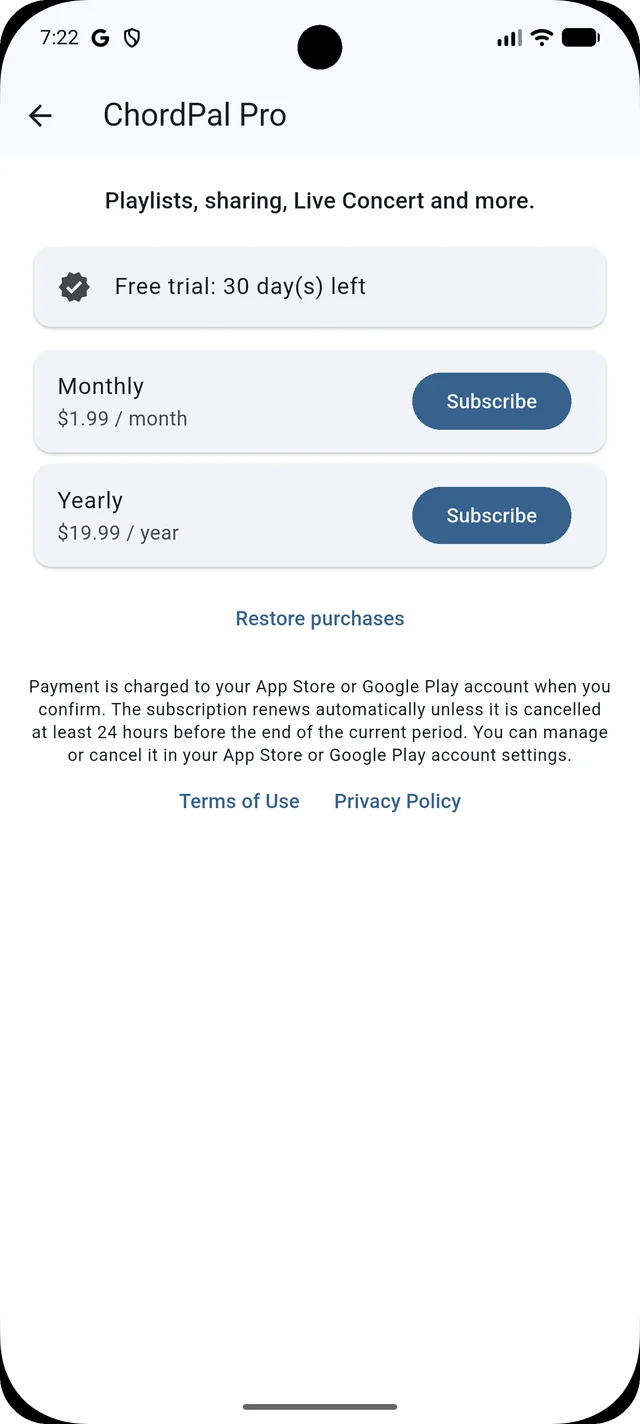 ABCD
- New phone or reinstalled the app? Open Subscription and tap Restore purchases.
- Subscriptions can only be bought in the mobile app, not on the website.
4Change or cancel
Only the store you bought from can change or cancel a subscription – ChordPal cannot do it for you. The quickest way: open the Subscription screen and tap Manage subscription. It opens your App Store or Google Play subscriptions.
Or go there yourself:
- Android (Google Play): open the Play Store app → tap your profile picture → Payments & subscriptions → Subscriptions → ChordPal Pro → Cancel subscription.
- iPhone or iPad (App Store): open Settings → tap your name → Subscriptions → ChordPal → Cancel Subscription.
You keep Pro until the end of the period you have already paid for. After that, the Pro features lock (see the next step), and nothing is deleted.
5What happens when Pro ends?
Nothing is deleted. Your songs and playlists are kept, and the Free features keep working. The Pro features are locked until you subscribe again – and then everything is back exactly as you left it.
- Playlists stay in your list, but are locked: Your playlists are safe and will be here when you subscribe again.
- Groups are locked until you renew. If you are the group’s admin, the group is locked for every member.
- Sharing, publishing and Live Concert stop working.
- The Pro editing tools show a “Pro feature” message.